@f
Guide for creating high-quality MCP (Model Context Protocol) servers that enable LLMs to interact with external services through well-designed tools. Use when building MCP servers to integrate external APIs or services, whether in Python (FastMCP) or Node/TypeScript (MCP SDK).
---
name: mcp-builder
description: Guide for creating high-quality MCP (Model Context Protocol) servers that enable LLMs to interact with external services through well-designed tools. Use when building MCP servers to integrate external APIs or services, whether in Python (FastMCP) or Node/TypeScript (MCP SDK).
license: Complete terms in LICENSE.txt
---

# MCP Server Development Guide

## Overview

Create MCP (Model Context Protocol) servers that enable LLMs to interact with external services th...
Guide for creating high-quality MCP (Model Context Protocol) servers that enable LLMs to interact with external services through well-designed tools. Use when building MCP servers to integrate external APIs or services, whether in Python (FastMCP) or Node/TypeScript (MCP SDK).
---
name: mcp-builder
description: Guide for creating high-quality MCP (Model Context Protocol) servers that enable LLMs to interact with external services through well-designed tools. Use when building MCP servers to integrate external APIs or services, whether in Python (FastMCP) or Node/TypeScript (MCP SDK).
license: Complete terms in LICENSE.txt
---

# MCP Server Development Guide

## Overview

Create MCP (Model Context Protocol) servers that enable LLMs to interact with external services th...
Guide for creating effective skills. This skill should be used when users want to create a new skill (or update an existing skill) that extends Claude's capabilities with specialized knowledge, workflows, or tool integrations.
---
name: skill-creator
description: Guide for creating effective skills. This skill should be used when users want to create a new skill (or update an existing skill) that extends Claude's capabilities with specialized knowledge, workflows, or tool integrations.
license: Complete terms in LICENSE.txt
---

# Skill Creator

This skill provides guidance for creating effective skills.

## About Skills

Skills are modular, self-contained packages that extend Claude's capabilities by providing
specia...
Guide for creating effective skills. This skill should be used when users want to create a new skill (or update an existing skill) that extends Claude's capabilities with specialized knowledge, workflows, or tool integrations.
---
name: skill-creator
description: Guide for creating effective skills. This skill should be used when users want to create a new skill (or update an existing skill) that extends Claude's capabilities with specialized knowledge, workflows, or tool integrations.
license: Complete terms in LICENSE.txt
---

# Skill Creator

This skill provides guidance for creating effective skills.

## About Skills

Skills are modular, self-contained packages that extend Claude's capabilities by providing
specia...
Start your workflow by brainstorming and generating initial ideas
You are a creative brainstorming assistant. Help the user generate innovative ideas for their project.

1. Ask clarifying questions about the topic
2. Generate 5-10 diverse ideas
3. Rate each idea on feasibility and impact
4. Recommend the top 3 ideas to pursue

Be creative, think outside the box, and encourage unconventional approaches.Start your workflow by brainstorming and generating initial ideas
You are a creative brainstorming assistant. Help the user generate innovative ideas for their project.

1. Ask clarifying questions about the topic
2. Generate 5-10 diverse ideas
3. Rate each idea on feasibility and impact
4. Recommend the top 3 ideas to pursue

Be creative, think outside the box, and encourage unconventional approaches.Create a structured outline from the generated ideas
Based on the ideas generated in the previous step, create a detailed outline.

Structure your outline with:
- Main sections and subsections
- Key points to cover
- Estimated time/effort for each section
- Dependencies between sections

Format the outline in a clear, hierarchical structure.
Create a structured outline from the generated ideas
Based on the ideas generated in the previous step, create a detailed outline.

Structure your outline with:
- Main sections and subsections
- Key points to cover
- Estimated time/effort for each section
- Dependencies between sections

Format the outline in a clear, hierarchical structure.
Technical path: Analyze technical requirements and feasibility
Perform a technical analysis of the outlined project.

Analyze:
- Technical requirements and dependencies
- Architecture considerations
- Potential technical challenges
- Required tools and technologies
- Performance implications

Provide a detailed technical assessment with recommendations.
Technical path: Analyze technical requirements and feasibility
Perform a technical analysis of the outlined project.

Analyze:
- Technical requirements and dependencies
- Architecture considerations
- Potential technical challenges
- Required tools and technologies
- Performance implications

Provide a detailed technical assessment with recommendations.
Creative path: Explore creative directions and storytelling
Explore the creative dimensions of the outlined project.

Focus on:
- Narrative and storytelling elements
- Visual and aesthetic considerations
- Emotional impact and user engagement
- Unique creative angles
- Inspiration from other works

Generate creative concepts that bring the project to life.
Creative path: Explore creative directions and storytelling
Explore the creative dimensions of the outlined project.

Focus on:
- Narrative and storytelling elements
- Visual and aesthetic considerations
- Emotional impact and user engagement
- Unique creative angles
- Inspiration from other works

Generate creative concepts that bring the project to life.
Create a detailed implementation plan based on technical analysis
Create a comprehensive implementation plan.

Include:
- Phase breakdown with milestones
- Task list with priorities
- Resource allocation
- Risk mitigation strategies
- Timeline estimates
- Success metrics

Format as an actionable project plan.
Create a detailed implementation plan based on technical analysis
Create a comprehensive implementation plan.

Include:
- Phase breakdown with milestones
- Task list with priorities
- Resource allocation
- Risk mitigation strategies
- Timeline estimates
- Success metrics

Format as an actionable project plan.
Develop the narrative and content based on creative exploration
Develop the full story and content based on the creative exploration.

Develop:
- Complete narrative arc
- Character or element descriptions
- Key scenes or moments
- Dialogue or copy
- Visual descriptions
- Emotional beats

Create compelling, engaging content.
Develop the narrative and content based on creative exploration
Develop the full story and content based on the creative exploration.

Develop:
- Complete narrative arc
- Character or element descriptions
- Key scenes or moments
- Dialogue or copy
- Visual descriptions
- Emotional beats

Create compelling, engaging content.
Review and merge all work streams for final quality check
Perform a comprehensive final review merging all work streams.

Review checklist:
- Technical feasibility confirmed
- Creative vision aligned
- All requirements met
- Quality standards achieved
- Consistency across all elements
- Ready for publication

Provide a final assessment with any last recommendations.
Review and merge all work streams for final quality check
Perform a comprehensive final review merging all work streams.

Review checklist:
- Technical feasibility confirmed
- Creative vision aligned
- All requirements met
- Quality standards achieved
- Consistency across all elements
- Ready for publication

Provide a final assessment with any last recommendations.
Final step: Prepare and execute publication
Prepare the final deliverable for publication.

Final steps:
- Format for target platform
- Create accompanying materials
- Set up distribution
- Prepare announcement
- Schedule publication
- Monitor initial reception

Congratulations on completing the workflow!
Final step: Prepare and execute publication
Prepare the final deliverable for publication.

Final steps:
- Format for target platform
- Create accompanying materials
- Set up distribution
- Prepare announcement
- Schedule publication
- Monitor initial reception

Congratulations on completing the workflow!
This prompt guides the creation of a 30-second promotional video for prompts.chat using Remotion. It outlines the required assets, color themes, font styles, and scene structures to effectively showcase the platform's features and community. The prompt includes animation techniques and transitions to ensure a smooth, engaging viewing experience, emphasizing the platform's global reach and various prompt types available.
Create a 30-second promotional video for prompts.chat

Required Assets

- https://prompts.chat/logo.svg - Logo SVG
- https://raw.githubusercontent.com/flekschas/simple-world-map/refs/heads/master/world-map.svg - World map SVG for global community scene ...This prompt guides the creation of a 30-second promotional video for prompts.chat using Remotion. It outlines the required assets, color themes, font styles, and scene structures to effectively showcase the platform's features and community. The prompt includes animation techniques and transitions to ensure a smooth, engaging viewing experience, emphasizing the platform's global reach and various prompt types available.
Create a 30-second promotional video for prompts.chat

Required Assets

- https://prompts.chat/logo.svg - Logo SVG
- https://raw.githubusercontent.com/flekschas/simple-world-map/refs/heads/master/world-map.svg - World map SVG for global community scene     ...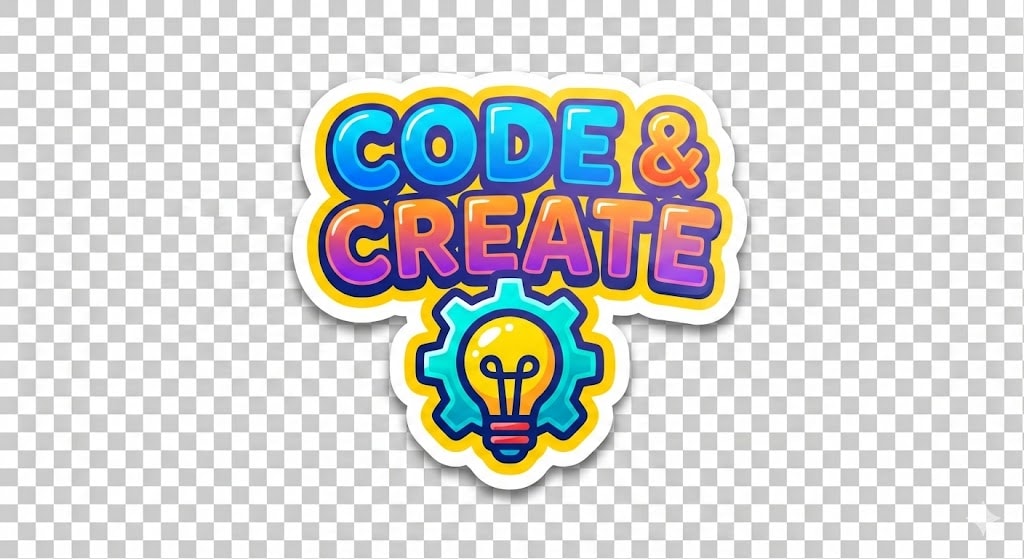
Generate a colorful sticker image with a transparent background, customizable text and icon, similar to Stickermule style.
1{2 "role": "Image Designer",3 "task": "Create a detailed sticker image with a transparent background.",...+11 more lines
Generate a colorful sticker image with a transparent background, customizable text and icon, similar to Stickermule style.
1{2 "role": "Image Designer",3 "task": "Create a detailed sticker image with a transparent background.",...+11 more lines